
ST Formatter for TwinCAT
A Structured Text formatter for TwinCAT 3 - in the IDE, as a desktop app and on the command line.
Formats the declaration and the implementation of POUs, methods, properties, actions, transitions, DUTs, GVLs and interfaces: the object open in the TwinCAT editor, or everything in a PLC folder or project.
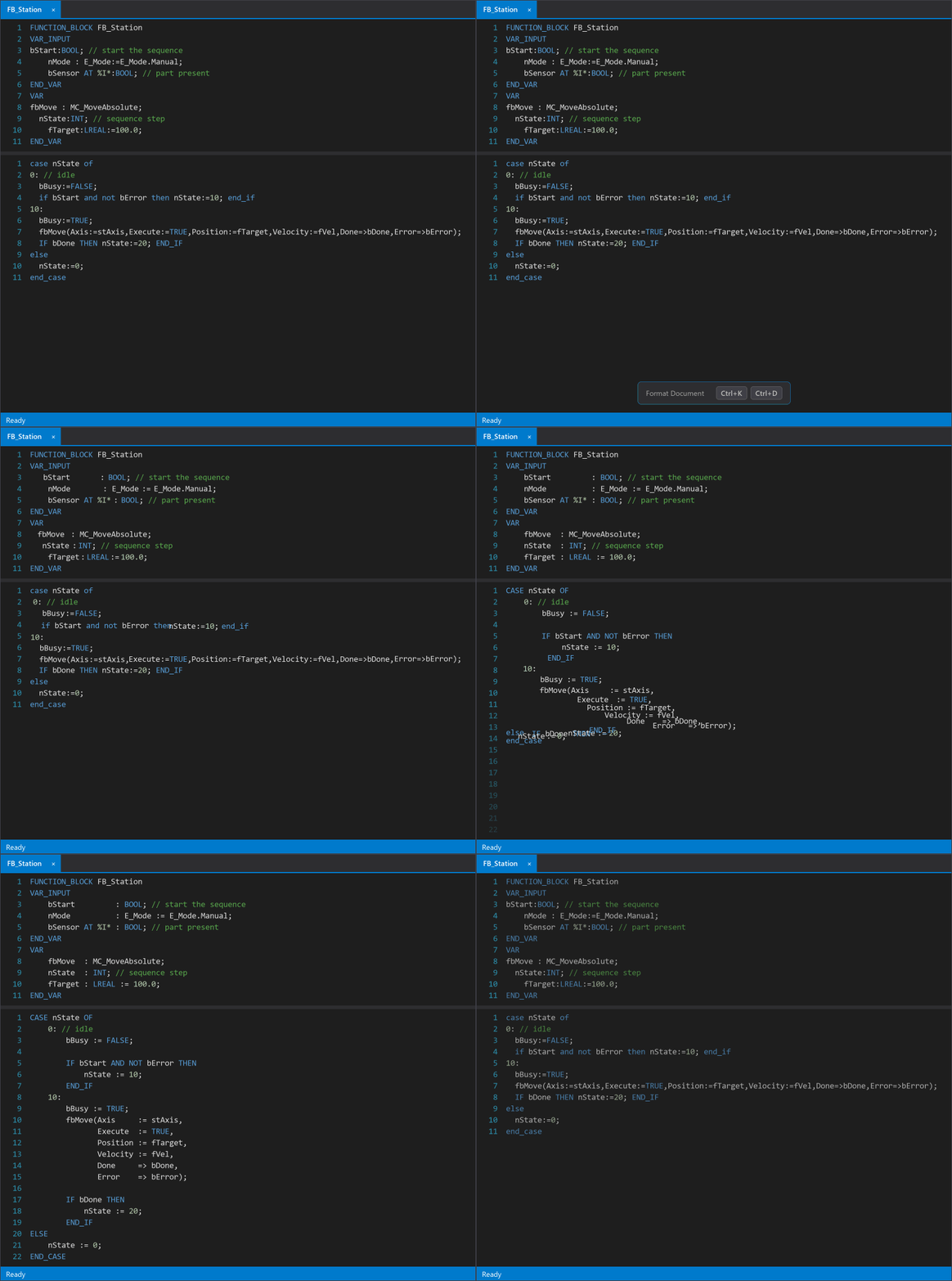
What it does
One shortcut or a whole project
Format Document with Ctrl+K, Ctrl+D - or right-click a PLC folder, object or project ▸ Format with ST Formatter to format everything below it.
Never changes your logic
Every result is lexed again and compared with the original. If anything but whitespace, keyword casing or comment positions would change, nothing is written.
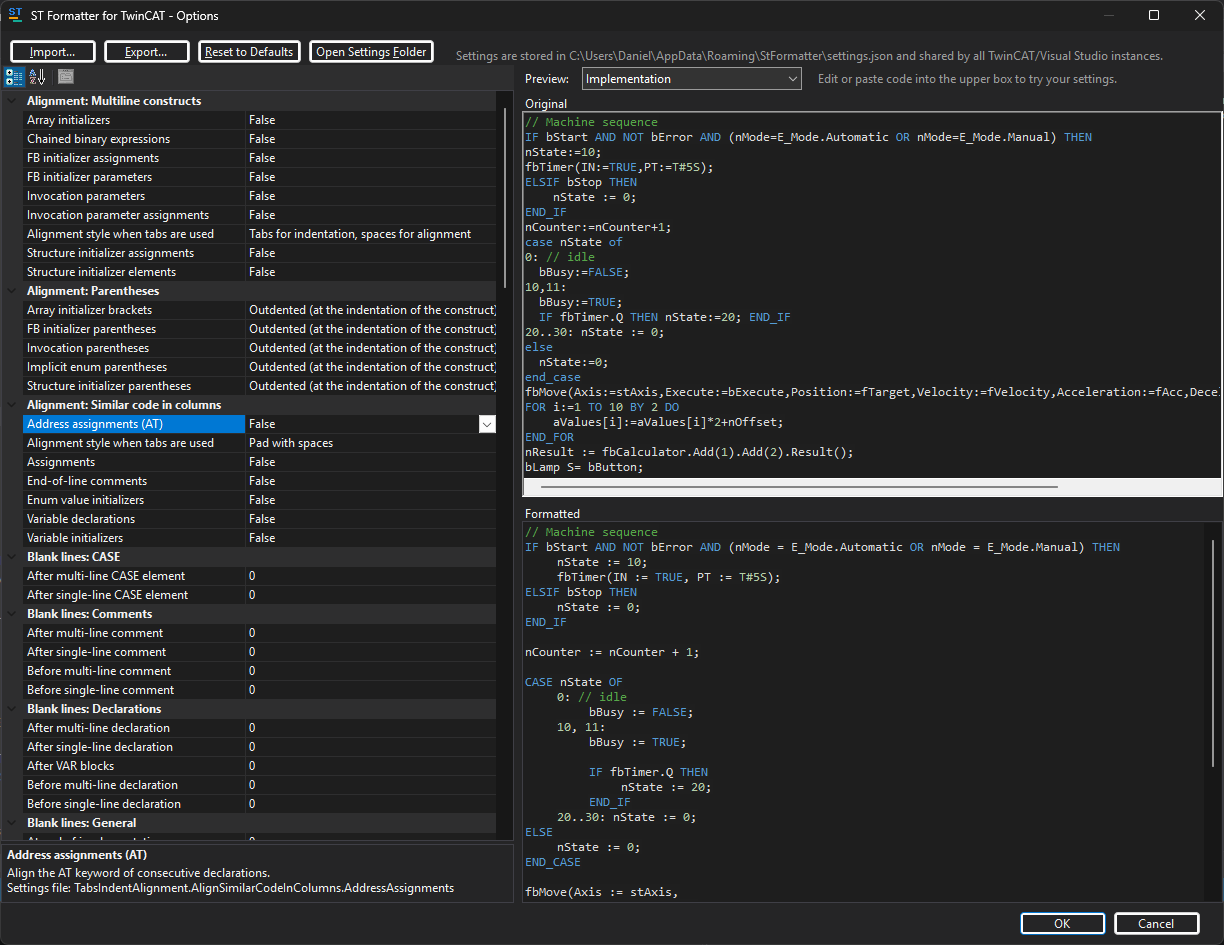
Your style, with a live preview
Blank lines, line breaks and wrapping, indentation, column alignment, keyword casing - each option is described and previewed as you change it.
Shared settings
One settings file for every XAE Shell, Visual Studio, the desktop app and the command line. Import and export to keep a team on the same format.
Revert Last Format
TwinCAT does not record these changes in its undo history, so the formatter keeps its own: one object or a whole folder, back in one step.
Desktop app and CLI
stformat-ui.exe and stformat.exe format TwinCAT files on disk without the IDE - with --check for CI and pre-commit hooks.
Supported hosts
| Package | Hosts |
|---|---|
| VS2017-2019 | TwinCAT XAE Shell 32-bit (VS 2017 based), Visual Studio 2017, Visual Studio 2019 |
| VS2022 | TwinCAT XAE Shell 64-bit (VS 2022 based), Visual Studio 2022, Visual Studio 2026 and newer |
You do not have to choose: the setup installs the right package into each host. Visual Studio 2015 and older are not supported.
- •TwinCAT 3.1.4024 or newer, integrated into the XAE Shell or Visual Studio.
- •The desktop app and the command line tool run on the .NET Framework that is part of Windows 10 and 11.
Installation
- 1Close the TwinCAT XAE Shell and Visual Studio.
- 2Start StFormatter-Setup.exe. It lists every XAE Shell and Visual Studio on the PC and picks the right package for each.
- 3Click Install - only then does Windows ask for administrator rights.
- 4Start TwinCAT again: the formatter is in TwinCAT ▸ Formatter, on the ST Formatter toolbar and in the Solution Explorer's context menus.
Changelog
1.0.0