
TwinCAT Dark Mode
Dark PLC editors and dark TwinCAT windows for the XAE Shell and Visual Studio.
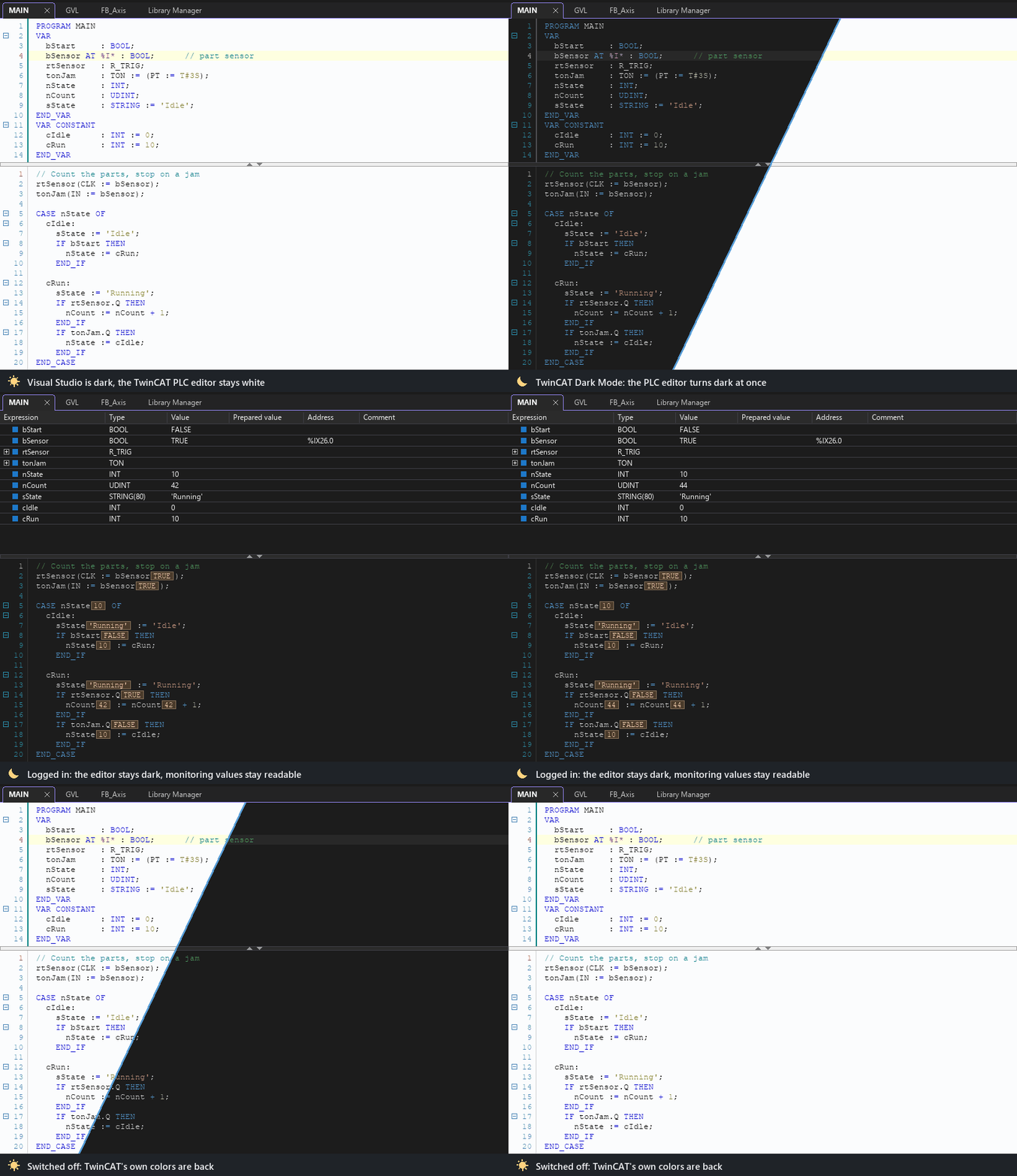
The Visual Studio Dark theme only covers the IDE itself - the TwinCAT PLC editors and most TwinCAT windows stay white. This extension makes them dark, and follows the Visual Studio color theme on its own.
What it does
Dark PLC editors
Structured Text, declarations, methods, properties, actions, transitions, GVLs, DUTs, CFC and ladder - also while logged in. Monitoring values, flow control and search highlights stay readable.
Dark TwinCAT windows
Device and I/O pages (EtherCAT, process data, CoE), task and project settings, tables, watch lists, property grids, menus and dialogs, down to scroll bars and title bars.
Follows your theme
Dark while Visual Studio uses a dark color theme, TwinCAT's normal look otherwise. Switching happens at once, without a restart.
Colors that mean something stay
Red errors, green and yellow states and highlights are kept - only white and gray backgrounds and black or gray text change.
Leaves TwinCAT untouched
Nothing is written into the TwinCAT installation or its options. Switching the dark mode off restores TwinCAT's own appearance exactly.
Your own editor theme
Export the built-in theme as a TwinCAT .editortheme file, adjust the colors and use it instead - or add it to TwinCAT's own theme list.
Supported hosts
| Package | Hosts |
|---|---|
| VS2017-2019 | TwinCAT XAE Shell 32-bit (VS 2017 based), Visual Studio 2017, Visual Studio 2019 |
| VS2022 | TwinCAT XAE Shell 64-bit (VS 2022 based), Visual Studio 2022, Visual Studio 2026 and newer |
You do not have to choose: the setup installs the right package into each host. Visual Studio 2015 and older are not supported.
- •TwinCAT 3.1.4024 or newer. The dark PLC editors need 3.1.4026 or newer - older versions have no editor theme engine, their windows still turn dark.
- •Windows 10 1809 or newer for dark scroll bars, combo boxes, list headers and title bars.
Installation
- 1Close the TwinCAT XAE Shell and Visual Studio.
- 2Start TcDarkMode-Setup.exe. It opens without administrator rights and lists every XAE Shell and Visual Studio on the PC.
- 3Click Install.
- 4Pick a dark theme: Tools ▸ Options ▸ Environment ▸ General ▸ Color Theme ▸ Dark. TwinCAT turns dark at once.
Changelog
1.0.0